

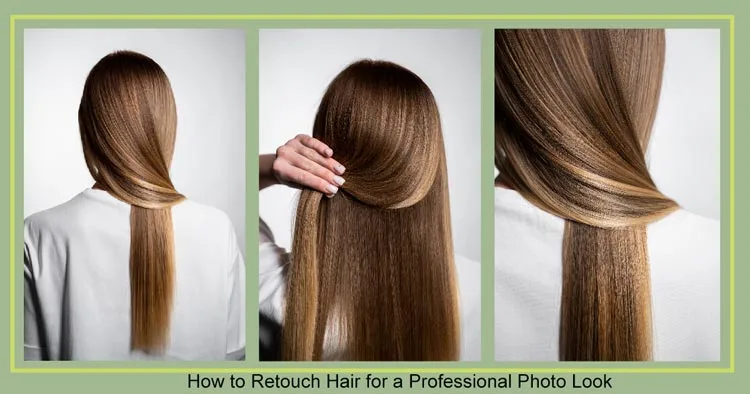
Photography and making hair look good in pictures are like two peas in a pod. Raw photos have hairs that are messy or not shiny. Needs fixing to make hair look polished and nice for the final picture. Common problems are flyaway hairs, hair looking flat, split ends showing, or color not matching well. Also, sometimes hair gets gaps where you see the background.
Lots of free apps in stores for fixing hair. But they do not make their hair look as professional as a real retoucher. Because pro retouchers use special software, and they draw carefully with their hands on the hair. They make every single hair strand look perfectly nice. This good fixing does not happen in free apps or when computer AI tries to do it. You need a person who knows your hair well.
Essential Hair Retouching Tools
Spot Healing Brush in Adobe Photoshop or Camera Raw removes stray hairs. Content-Aware Fill fills gaps. The Patch Tool reconstructs hair areas. The Liquify Tool adjusts hair shape. The AI Headshot Generator enhances styling. The Radial Filter adds depth, light, and focus to the hair.
Frequency Separation refines hair without losing detail. It tackles frizzy hair. Retouching hair adjusts color, shine, and volume. Reshaping hair improves hairstyle balance. Flyaway strands need control for a polished finish. These methods ensure hair looks lifelike.
Some of the key Techniques are:
Highlight the Focus on the Hair
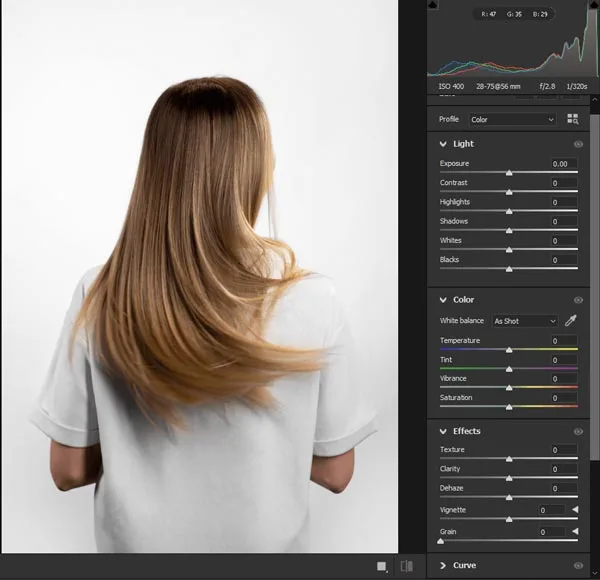
Pictures look real when the hair looks natural. But hair is not always perfect. Some hairs are dull or frizzy, or may not have enough volume. Using light tricks can make the hair look better and more interesting. Like making the top hairs brighter when the sun hits. This is for girls’ and boys’ hair pictures too. A little bit of light makes the hair shape look nicer, like making curls pop or straight hair look smooth.
Don’t make the light too bright! Super white highlights make hair look fake, plastic, and can ruin the real picture. Too much shine on greasy hair looks yucky and oily. So, use soft light, not too hard. Boys can get light on their short hair tops too, making it look thick. Use the tools in the software carefully for this.
Clean Up Stray Hairs
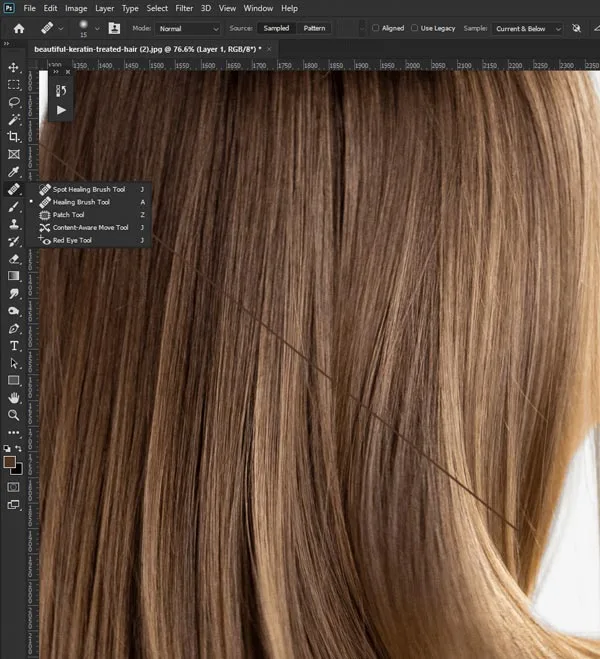
Apart from the main hair, the little hairs sticking out everywhere are annoying in pictures. Like hairs on the forehead or neck, or tickling the ears. You can make the picture much cleaner and nicer by taking away stray hairs. Using a special brush tool or a clone thingy helps erase them. Makes the person look tidy.
Poses where the wind blows hair can be done in lots of ways. Or if someone touches their hair before a picture. Best to carefully look all around the head and shoulders for their tiny hairs. Zoom in big on the computer screen. Finding them all is important for making hair look perfect. Takes time, but worth it.
The Pores of the Skin Need to be smoothed
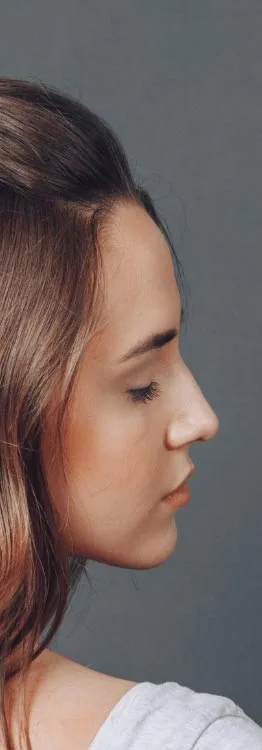
High school seniors, girls and guys, should get pro photoshoots to feel better about how they look. Now you think about how fixing skin near hair connects to feeling good.
The smooth skin near the hairline also makes the hair look good. This way, you feel happier with your picture. Also, the work the retoucher does to blend the skin well with the hair helps you look ready for grown-up things like jobs where pictures matter. Plus, the nice photos you keep for a long time make you smile later.
Use Dust and Scratches to Minimize Pores
Do you like city places? Try senior pics downtown for cool city style remembrances. Pictures taken downtown bring back memories of fun times on the streets or your favorite spots there.
Downtown hair pics look best when you walk down alleys or sit on a bench or steps. Standing by a cool door or wall you like makes meaningful pictures. You can also take pics of your house roof or school roof, showing the city around you.
Work on the Composition of the Hair
You can use things to make hair pics more fun and special. Not just any things, pick stuff that shows what you like. Like, use a hat if you like hats or a hair clip you love. Sports headbands or team caps are good, too. Or if you play music, hold your instrument near your hair. If you are artsy, maybe have a paintbrush in your hair or something fun.
Also, think about where you are taking the picture when picking hair things. If you use a sports headband, maybe take a pic near a field. Wearing clothes that match the hair makes the picture look perfect together.
Add Adjustments on the Skin and Hair
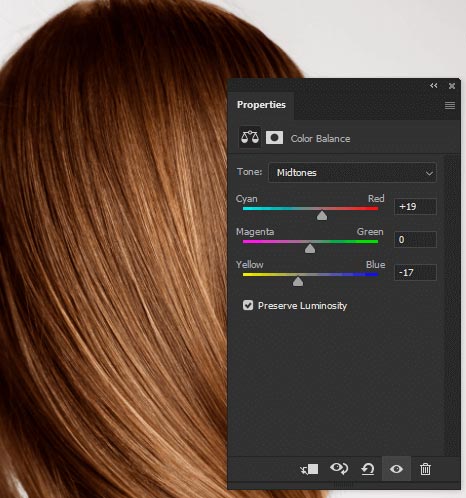
Senior portraits look real when the hair near the skin looks natural. But skin with hair often has little dots or bumps or color not the same. Fixing the skin helps the hair look better and makes the whole picture confident. Skin fixing is mostly for girls, but boys need it too, near their hairline. A little bit of smooth skin makes the hair start to look sharp and clean.
Don’t make the skin too smooth near your hair! Super blurry skin looks like a fake doll and ruins the real picture. Too much fixing makes skin look plastic. So, use tools carefully just to make fewer small dots. Boys can get skin by short hair fixed, too, hiding red spots. Using matte finish often looks best.
Add Elements to the Layout
Adding elements to the layout is key to a strong design. Place images, text, icons, and other graphics to improve the message. Position each element to create balance. Guide the viewer’s eye with careful spacing. Align elements for clarity. Use contrast to keep the layout clean. Thoughtful placement makes the design engaging.
Advanced Retouching Techniques
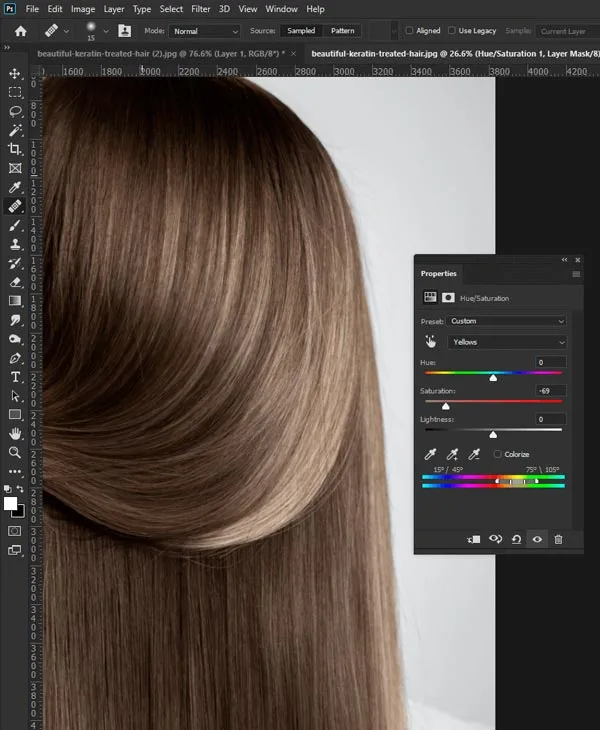
Advanced retouching boosts image quality. White balance adjusts color tones. Lens corrections fix distortions. Profile corrections apply automatic adjustments. The patch tool removes unwanted elements. HSL fine-tunes colors to set the mood.
Color grading adjusts hues and tones for style. Manipulating color channels controls specific colors in the hair. The tone curve balances highlights, midtones, and shadows. The shadow eraser removes dark areas for a flawless look.
Attention to skin texture balances well-groomed hair. Proper hair styling enhances features and adds personality. Professional lighting highlights hair texture and softens shadows. These elements make the final photo flattering and detailed.
Image Editing Software
Image editing software enhances photos. ON1 Photo Raw, Capture One, and Luminar Neo provide powerful features. Structure AI automates edits. Generative Fill simplifies complex tasks. Each editor excels in color grading and retouching. Choose the right software. Elevate your work. Achieve stunning visuals.
Virtual tools and services change how images are created. Virtual headshot services provide polished portraits remotely. Automatic editing tools enhance photos with AI adjustments. The AI headshot generator creates realistic, high-quality portraits. These innovations make professional photography more accessible.
Tips for Hair Photography
Lighting and angles make a big difference in portraits. Clean backgrounds and sharp focus help the hair stand out. Use natural light and a high-quality camera for DIY headshots. Aim for high resolution to preserve details and enable editing.
Hair enhances appearance and style. Collaboration between makeup artist, hair stylist, photographer creates a polished look. Well-styled hair is key for photos. It impacts salon portfolios and LinkedIn profiles. Proper lighting highlights hair texture and color.
FAQs
1. What are the best tools for retouching hair in professional photography?
Use professional tools like Photoshop and Camera Raw for retouching, including Spot Healing Brush and Content-Aware Fill for imperfections, and Liquify and Frequency Separation for texture. AI headshot generators and tools like ON1 Photo Raw and Luminar Neo also offer automatic enhancements.
2. How can I control frizzy hair in professional retouching?
For professional hair retouching, manage frizz using the Spot Healing Brush for texture and the Liquify tool for smoothing. Frequency Separation aids adjustments. Enhance shine with white balance and color grading.
3. How do I ensure the best lighting for hair photography?
Good lighting, especially soft, diffused light, is crucial for hair in photos. Key, fill, and backlighting enhance depth, while softboxes and ring lights eliminate harsh shadows. Radial filters and lens corrections fix overexposed areas.
4. What is the role of AI in retouching hair for headshots?
AI tools like headshot generators and Structure AI enhance hair, sharpen details, and remove imperfections. AI also suggests color and white balance, helping beginners create polished headshots easily.
Final Thought
Getting someone else to fix hair is good for the people in the pictures and the camera person. Having someone else fix your hair saves you time working. Don’t worry about costing lots of money! Hair retouching does not make you broke.
Let Zenith Clipping handle the hard part. Our expert retouchers specialize in flawless hair edits that elevate your portraits to a professional level. Get Your Hair Retouched by the Pros Today!