


Taking pictures and fixing them is like two hands working together. Raw photos have many problems that need fixing to make them look perfect for social media. The common troubles are bad lighting, blurry faces, messy backgrounds, color that looks wrong, and more.
There are many free phone apps for editing in app stores. But their fixing skills can’t beat real pro photo fixing services. Because pro services use expert editors and expensive computer programs with fancy tools. The hand-done editing is made, making sure every tiny spot is fixed well. This kind of super fixing isn’t in free apps or robot-edited photos. Your photos look amateur without the pro touch.
Let’s dive below!
What Are Social Media Photos?

Social media photos look real when the person in them seems natural. But not everyone has a perfect look. Some might get red eyes, a shiny forehead, or other bad things. Filters can hide these problems and make you look your best and coolest. Although filters are mostly used by girls, it doesn’t mean boys don’t need them. A little filter use can make facial things better, like making teeth whiter or skin smoother.
Remember not to go crazy with filters. Crazy colors for skin or eyes will make you look fake, plastic,,c and wreck the real feel of photos. Too much smooth skin filter makes people look like dolls and weird. So use light filters to keep your real skin looking. Guys can use a brightness tool to fix shadows, do a crop to fix framing, and use color adjustment to make blues pop.
What Factors Should You Consider Before Posting?
Besides your face, things behind you, like walls, trees, or streets, are important background ideas for social pics. You can add a calm feeling and a nice look to photos taken with these backgrounds. The sun’s shadows during evening time make golden glows that look magical. Girls can wear simple shirts with one color to create a clean vibe in photos. Guys can wear plain tees or dark jackets to make cool profile pics.
Poses that work well are standing straight, a slight head turn, or walking slowly. The moving moment of walking gives a chance to take great, real-life shots, not stiff. Think about what story you want to tell with your photo before posting. Happy smile for fun times, serious face for work posts. Match your face to your words!
10 Tips to Make Your Photos Look Professional on Social Media
Teenagers and grown-ups both should try pro-style photos to feel better about how they look. Now, questions like how a photo can help you feel good might pop into your head.
The likes and nice comments from friends can help you show your real self in pictures. This way, you feel more okay with how you look. Also, the work you do to show your style makes you ready for the job world, where looking professional matters big. Most of these photos become memory treasures when you get older.
Start with a clean lens on the phone. Find good light always. Stand near windows. Keep the background simple. Fix crooked lines. Make colors bright but real. Don’t over-filter faces. Learn the rule of thirds. Take many shots to pick the best. Edit a little bit only!
1. Use Natural Light Whenever Possible

The social media year holds special feelings in people’s hearts. The fun of sharing moments makes a happy mix of feelings. This big deal is worth showing through good photos. You feel wow seeing influencers’ perfect pics? You can try this to make amazing shots following our tips.
This is a full guide for social media pic ideas. We put every needed detail like where to stand, how to pose, what to wear, and other smart tricks to make photo taking easy for readers. Natural light is free magic! Sun through curtains makes soft glows. Outdoor shade gives even brightness. Morning light is less harsh. Cloudy days are best for no shadows. Avoiding the noon sun makes ugly face shadows. Use a natural lamp, not a bathroom bulb light!
2. Keep Your Backgrounds Clean
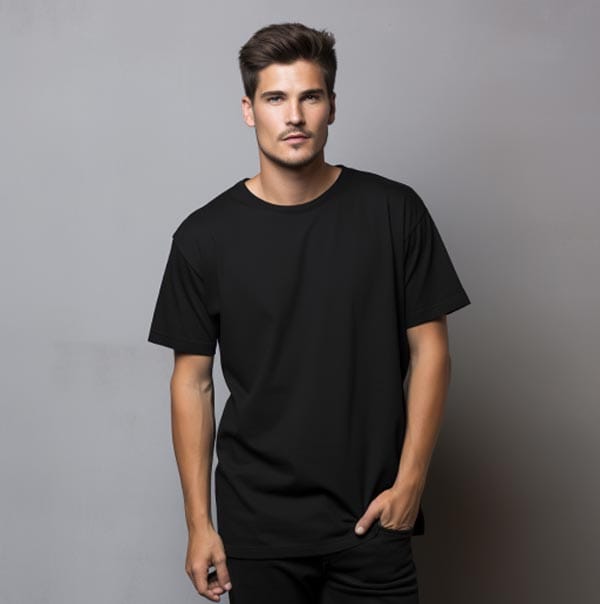
Are you a city person? Try pictures downtown to make street-style memories. Photos taken in your town center bring back thoughts of fun times in those places.
Downtown photos look best when you lean on walls or sit on steps. Standing by cool graffiti or colorful doors makes interesting shots. You can also take pics near your work or favorite coffee shop to make meaning. Messy rooms ruin photos. Move laundry piles. Clear kitchen counters. Plain walls work best. Blur the background if busy. Simple = pro look. No junk behind my head!
3. Shoot with a High-Quality Camera (Phone or DSLR)

You can use things to add fun to pics and make them special. Don’t use random stuff, pick things that match your hobby and you. Use a coffee mug if you love cafes or spend time in coffee shops. Headphones and laptops are great props, too. Same way use sports gear like skateboards if you like skating.
Also, think about your photo place when picking props. If the prop is a guitar, then shoot near a music store. Casual clothes for this setup make the pics look natural together. Good cameras help a lot! New phones take sharp pics. DSLRs are better for blurred backgrounds. Clean the lens first, always. Hold steady, no blur. Use grid lines on the phone to straighten shots. More pixels, more details!
4. Follow the Rule of Thirds

Social media photos look best when your subject is not in the dead center. But not everyone knows this camera trick. The rule of thirds helps make pictures more interesting. Imagine grid lines on your photo – two lines across and two down, making nine boxes.
Put important things where lines cross. Your face or eyes should hit these cross spots. This makes photos feel balanced, not boring. Although mostly used for landscapes, it works great for selfies, too. Guys can use this to make their gym pics look pro. Just move your head a little left or right from the center. Remember not to overthink it too much. Some photos that break the rule still look good. But starting, this grid trick helps a lot. Phone cameras have grid settings in the options. Turn it on! Practice makes perfect. So you will do it without thinking.
5. Edit Your Photos - But Don’t Overdo It

Fixing pictures is like washing your face – clean but keeping the real you. Raw photos need small edits to look pro. Common fixes: brighten shadows, fix colors, crop edges. There are many free editing apps. But their auto-fix often makes colors crazy. Pro editors use special tools to fix tiny spots by hand. Phone apps can’t do this good.
Light editing is best! Too much smooth skin makes you look like a doll. Crazy filters make food look fake. Adjust the brightness a little bit. Fix red eyes. Crop messy backgrounds. Real > perfect always. Your friends want to see YOU, not a robot.
6. Maintain a Consistent Aesthetic

Your whole feed should match like best friends ‘ outfits. Pick a color theme and stick. Maybe warm browns and creams.Or cool blues and grays.Same filters every time help. When someone visits your profile, all photos should feel like family. Not a rainbow explosion.
Choose what vibe you want: cozy, fancy, or street? Keep backgrounds similar too. Wood tables for food pics.Blank walls for selfies. Consistency makes you look pro. People remember your style. Brands like accounts with a clean look. It takes practice, but worth it. Screenshot your grid, see if the colors fight. Make them friends!
7. Focus on Composition and Framing

How you put things in a photo matters big. Leave space around the main subject. Don’t cut off feet or headsShoot from different heights – low makes things look big in power. Use doorways or windows like picture frames around you. Nature frames, too – tree branches or flowers around the edges. Hands in pockets pose always works, guys. Leaning on walls looks cool and casual.
Try different angles! Shoot from the ground looking up. Or high above, looking down. Move your body, not just your phone. Take 10 versions, pick the best one. Good framing makes phone pics look pro camera.
8. Use Props and Styling to Enhance the Scene

Add things to tell a story in a photo. Coffee cup for morning posts.Books for study pics.Not random stuff – things that show YOUR life.Musician?Hold the guitar. Artist? Show paint brushes. Think where props make sense.
Basketball needs a court background. Cooking pics need a kitchen spot. Wear clothes that match the props – a sporty outfit for a gym photo. Simple, solid colors are best. Props should help, not steal the show. Keep it small and meaningful. One great prop is better than five messy ones. Makes people stop scrolling when they see a story!
9. Avoid Using Flash

Flash makes skin look ghostly white and shiny. Creates ugly shadows behind you. Eyes get a red demon look. Natural light is always better. If it’s dark inside, stand near the window.
Outside? Morning or evening light is best. Cloudy days are perfect – no harsh shadows. At night, use lamps behind the camera. The phone flashes the worst! Makes everything flat and boring.If you must use flash, put thin paper over it to soften. But really, just find better light. Your skin will thank you.
10. Resize and Optimize for Each Platform

Instagram likes tall photos. Pinterest wants long ones. Stories need vertical shots. Fit your pic to the platform! Crop before posting. The Instagram grid looks best square. Stories fill the whole phone screen.
Twitter needs simple pics to load fast. Use apps like Canva to resize easily. Small files load quicker. But keep quality, no blurry mess! Each platform is different – learn their sizes. Makes your feed look clean, pro.
Pro Tip: Use Presets or Filters Wisely
But choose gentle ones! Lightroom presents the best. Avoid crazy color changes. Good for busy people – one click edit. But adjust the strength down.
Real life is not a cartoon. Skin should look like skin, not plastic. Food colors stay true. Free presets online. Find one you like, stick with it. Don’t use different filters for every post – messy! Consistency is key for a pro look.
FAQs
What lighting is best for professional photos?
Natural light or soft, diffused artificial light works best.
How can I edit my photos for a professional look?
Use apps to adjust brightness, contrast, and sharpness while maintaining a natural look.
What background works best for social media photos?
Simple, clean backgrounds or blurred settings help keep the focus on you.
How can I enhance my photo’s composition?
Follow the rule of thirds and keep the subject centered or balanced.
Final Thoughts
Good photos take practice, but worth it. Shows you care about your social media. First impressions matter! Start with a clean lens.
Want your social media photos to stand out like a pro? Let Zenith Clipping fine-tune your images with expert editing and background removal.